
Resume Studio
BetaImport your resume, edit it on the page and download a recruiter-friendly PDF. Your file stays in your browser.
About Resume Studio
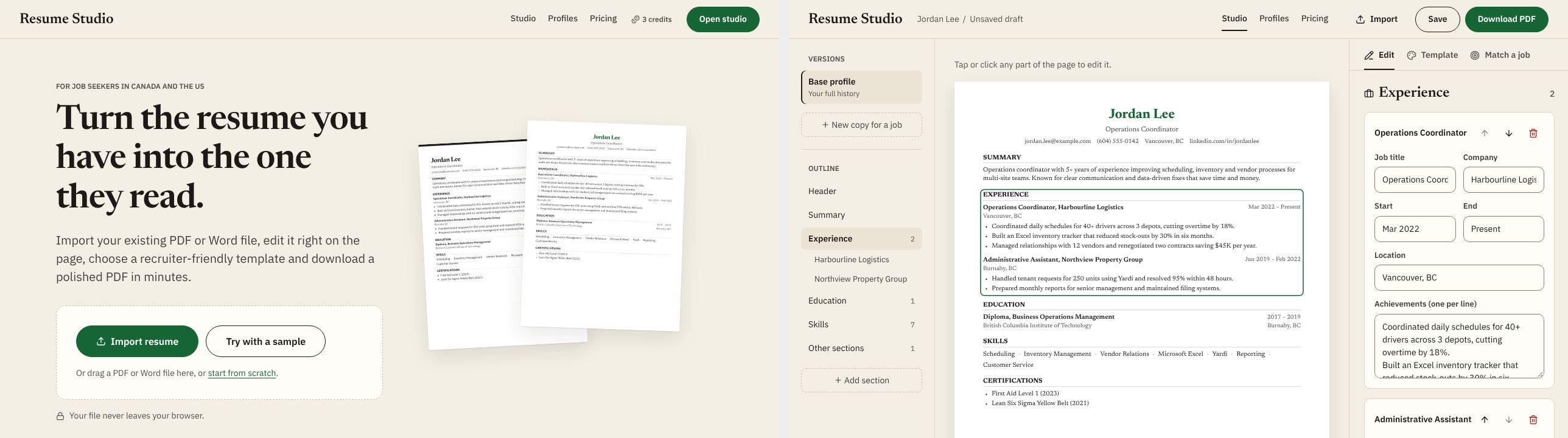
Resume Studio helps job seekers in Canada and the US turn the resume they already have into a clean, ATS-friendly one. Import a PDF or Word file, check what was read, edit any part right on the page, switch templates and download a polished PDF. Make a tailored copy for each job and see which keywords from the posting are missing. Everything runs in your browser, so your file is never uploaded.
Key features
- Import a PDF or Word resume
- Review what was read before you start editing
- Click any part of the page to edit it
- 16 recruiter-friendly templates, including photo templates
- Add your photo to photo templates
- Tailored copies for each job, with a keyword match score
- Download an ATS-friendly PDF
- Your file never leaves your browser
- No sign-up required
How it works
- Import — Open your PDF or Word resume, or start from a sample.
- Edit — Check what was read, then click any part of the page to change it and pick a template.
- Download — Make a copy for a job if you like, then download a clean PDF.
FAQ
Is my resume uploaded anywhere?
No. Resume Studio reads and edits your file inside your browser. Nothing is sent to a server.
Do I need an account?
No. Your work is saved in your browser on this device. Clearing your browser data removes it.
Which files can I import?
Text-based PDF and Word (.docx) files. Scanned image PDFs can't be read yet.
Why is it marked Beta?
Resume Studio is an early preview. Importing, editing and PDF download work, and some screens such as pricing are previews of features that are not active yet.
Can I open it like an app on my phone?
Yes. Add it to your home screen and it opens with one tap, no download needed. See how (with video)
More from JellyDock
- Baton NoteCapture notes and ideas, then see how they connect.
- REST 30A one-tap rest timer for the gym, between every set.
- MapleQuizPractise for the Canadian citizenship test in English or French.